Streaming Equipment Guide: Build Your Perfect Setup
From budget-friendly starter kits to professional-grade setups, discover the essential equipment every streamer needs to create high-quality content.
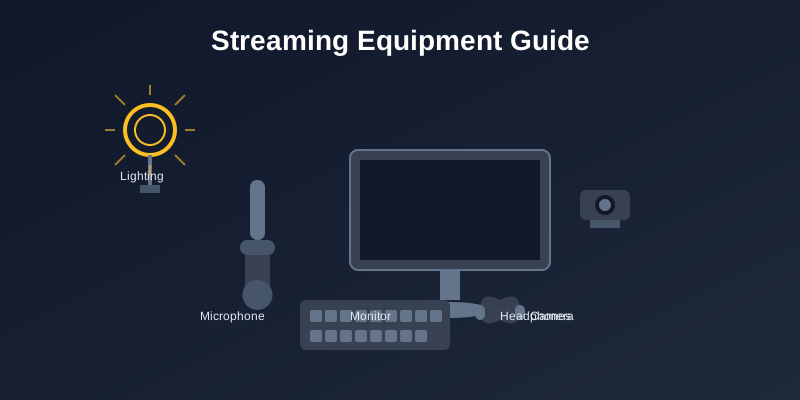
Streaming Equipment Guide: Build Your Perfect Setup
Creating quality content doesn’t require breaking the bank, but having the right equipment can significantly improve your streaming experience and viewer retention. This comprehensive guide covers everything from budget starter setups to professional-grade equipment.
The Foundation: Essential Equipment
1. Computer or Console
Your streaming platform is the heart of your setup.
PC Streaming Requirements:
- CPU: Intel i5-8400 / AMD Ryzen 5 2600 (minimum)
- GPU: GTX 1660 / RX 580 (for gaming + streaming)
- RAM: 16GB DDR4 (8GB absolute minimum)
- Storage: SSD for OS and streaming software
Console Streaming:
- PlayStation 5 / Xbox Series X for best quality
- Capture card required for advanced overlays
- Consider PC streaming for more customization options
2. Internet Connection
Stable internet is non-negotiable for streaming.
Minimum Requirements:
- Upload Speed: 5 Mbps for 720p, 10 Mbps for 1080p
- Connection Type: Wired ethernet preferred over WiFi
- Stability: Consistent speeds matter more than peak speeds
Pro Tips:
- Test your connection during peak hours
- Consider upgrading if you frequently drop frames
- Use a separate network for streaming if possible
3. Microphone
Audio quality is more important than video quality for viewer retention.
Budget Options ($50-100):
- Audio-Technica ATR2100x-USB: Versatile and reliable
- Blue Yeti Nano: Compact with good quality
- Samson Q2U: Excellent for beginners
Professional Options ($150-300):
- Shure SM7B: Industry standard (requires audio interface)
- Electro-Voice RE20: Broadcast quality
- Blue Yeti: Popular choice with multiple pickup patterns
Audio Interface (if needed):
- Focusrite Scarlett Solo: Single input, great quality
- PreSonus AudioBox USB 96: Reliable and affordable
- Zoom PodTrak P4: Designed for content creators
4. Camera
Visual connection with your audience enhances engagement.
Webcam Options:
- Logitech C920: Reliable 1080p standard
- Logitech C922: Improved low-light performance
- Razer Kiyo: Built-in ring light
- Logitech Brio: 4K capability for future-proofing
DSLR/Mirrorless Setup:
- Canon EOS M50: Great for streaming with clean HDMI out
- Sony a6000 series: Excellent image quality
- Capture Card: Elgato Cam Link 4K for DSLR connection
Lighting: The Game Changer
Good lighting can make a $50 webcam look better than a $500 camera in poor lighting.
Budget Lighting Solutions ($30-100)
Ring Lights:
- Neewer 18-inch Ring Light: Affordable and effective
- Razer Ring Light: Designed specifically for streaming
- AIXPI Ring Light: Budget option with phone holder
Key Light Alternatives:
- Desk lamps with daylight bulbs: Cheap and adjustable
- LED panels: More professional look
- Natural light: Position near a window (but beware of changing conditions)
Professional Lighting ($100-500)
Elgato Key Light Series:
- Key Light: Premium option with app control
- Key Light Air: Lighter and more affordable
- Key Light Mini: Compact for smaller setups
Three-Point Lighting Setup:
- Key Light: Primary illumination
- Fill Light: Reduces shadows
- Back Light: Separates you from background
Audio Enhancement
Acoustic Treatment
Budget Solutions:
- Moving blankets: Hang around your streaming area
- Foam panels: Affordable acoustic treatment
- Closet streaming: Natural sound dampening from clothes
Professional Treatment:
- Acoustic panels: Proper studio treatment
- Bass traps: For corner placement
- Reflection filters: Behind microphone
Audio Processing
Hardware Solutions:
- GoXLR: All-in-one mixer for streamers
- Rodecaster Pro: Professional podcast mixer
- Behringer Xenyx: Budget mixing board
Software Solutions:
- OBS Audio Filters: Built-in noise suppression and EQ
- VoiceMeeter: Virtual audio mixer
- Adobe Audition: Professional audio processing
Streaming Software and Capture
Broadcasting Software
Free Options:
- OBS Studio: Most popular, highly customizable
- Streamlabs OBS: User-friendly with built-in features
- XSplit Broadcaster: Professional features with free tier
Paid Options:
- XSplit Premium: Advanced features and support
- Wirecast: Professional broadcasting solution
- vMix: Enterprise-level streaming software
Capture Cards
For console streaming or multi-PC setups:
Internal Cards:
- Elgato 4K60 Pro MK.2: High-end internal solution
- AVerMedia Live Gamer 4K: Reliable alternative
External Cards:
- Elgato HD60 S+: Popular USB 3.0 option
- AVerMedia Live Gamer Portable 2 Plus: Standalone recording capability
Comfort and Ergonomics
Seating
Gaming Chairs:
- Herman Miller Aeron: Premium ergonomic option
- Steelcase Leap: Excellent back support
- IKEA Markus: Budget-friendly ergonomic choice
Streaming-Specific Features:
- Adjustable height for camera positioning
- Comfortable for long sessions
- Quiet operation (no squeaking during streams)
Desk Setup
Standing Desk Options:
- UPLIFT V2: High-quality motorized desk
- IKEA Bekant with Olov legs: Budget standing option
- Flexispot E7: Good middle-ground choice
Desk Accessories:
- Monitor arms: Free up desk space and improve ergonomics
- Cable management: Keep your setup clean and professional
- Desk pads: Protect surface and reduce noise
Budget Breakdown by Tier
Starter Setup ($200-500)
- Microphone: Audio-Technica ATR2100x-USB ($79)
- Camera: Logitech C920 ($70)
- Lighting: Neewer Ring Light ($40)
- Audio: Decent headphones you already own
- Software: OBS Studio (Free)
- Total: ~$189 + existing computer
Intermediate Setup ($500-1500)
- Microphone: Blue Yeti ($100)
- Camera: Logitech C922 ($100)
- Lighting: Elgato Key Light Air ($130)
- Audio Interface: Focusrite Scarlett Solo ($120)
- Capture Card: Elgato HD60 S+ ($180)
- Chair: IKEA Markus ($200)
- Total: ~$830
Professional Setup ($1500-5000)
- Microphone: Shure SM7B ($400)
- Audio Interface: GoXLR ($500)
- Camera: Sony a6400 + Cam Link 4K ($900 + $130)
- Lighting: Two Elgato Key Lights ($400)
- Acoustic Treatment: Professional panels ($300)
- Desk: UPLIFT V2 Standing Desk ($600)
- Chair: Herman Miller Aeron ($1200)
- Total: ~$4430
Upgrade Path Strategy
Phase 1: Audio First
- Invest in a good microphone
- Improve your acoustic environment
- Learn proper audio levels and processing
Phase 2: Visual Quality
- Upgrade your camera
- Add proper lighting
- Optimize your background and framing
Phase 3: Comfort and Efficiency
- Improve your seating and desk setup
- Add stream deck or macro pad
- Optimize your streaming workflow
Phase 4: Professional Polish
- Add multiple camera angles
- Implement professional lighting setup
- Invest in high-end audio processing
Maintenance and Care
Regular Maintenance Tasks
Weekly:
- Clean camera lens and microphone
- Check all cable connections
- Update streaming software
- Test backup equipment
Monthly:
- Deep clean your setup
- Check for software updates
- Review and organize your scenes
- Test your internet speed
Quarterly:
- Evaluate equipment performance
- Research new technology
- Plan future upgrades
- Backup your streaming configurations
Equipment Longevity Tips
- Use surge protectors for all equipment
- Keep equipment clean and dust-free
- Store backup configurations
- Document your setup for troubleshooting
- Invest in quality cables and connections
Common Mistakes to Avoid
1. Prioritizing Video Over Audio
Poor audio will drive viewers away faster than poor video quality.
2. Buying Everything at Once
Start with essentials and upgrade gradually based on your needs and growth.
3. Ignoring Room Acoustics
The best microphone won’t help in a room with terrible acoustics.
4. Cheap Cables and Accessories
Quality cables and mounts prevent frustrating technical issues.
5. Not Testing Before Going Live
Always test new equipment thoroughly before using it on stream.
Future-Proofing Your Setup
Emerging Technologies
- 4K Streaming: Prepare for higher resolution requirements
- HDR Content: Consider HDR-capable equipment
- AI Enhancement: Software-based quality improvements
- Virtual Production: Green screen and virtual set technology
Scalability Considerations
- Choose equipment that can grow with your channel
- Invest in modular systems when possible
- Consider multi-use equipment for content creation
- Plan for potential studio space expansion
Conclusion
Building the perfect streaming setup is a journey, not a destination. Start with the essentials—good audio and stable internet—then gradually upgrade based on your needs, budget, and channel growth. Remember that the best equipment is the equipment you know how to use effectively.
Focus on creating great content with what you have while planning strategic upgrades that will genuinely improve your viewer experience. Your personality and content quality matter more than having the most expensive gear, but the right equipment can help you present your best self to your audience.
Need help optimizing your current setup? StreamerXP can analyze your stream quality and provide personalized recommendations for equipment upgrades that will have the biggest impact on your content.
Related Posts
You might also be interested in these articles
Getting Started with Streaming: A Beginner's Guide
Learn the essential steps to start your streaming journey on Twitch, from setting up your equipment to building your first audience.
Stay Updated
Get the latest streaming tips and insights delivered to your inbox. Join our community of streamers!
No spam, unsubscribe at any time.